Business Cards Designing Software Screenshots
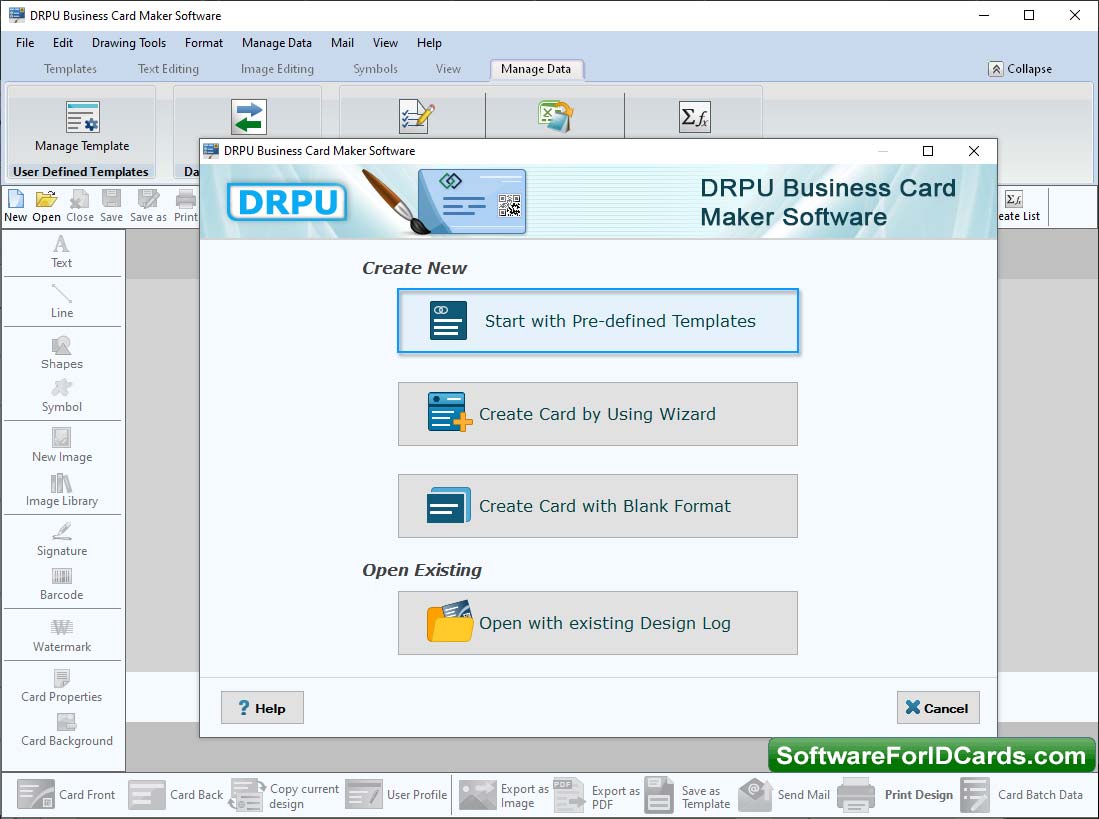
STEP 1: Start With Templates - Select any one option ( Templates, Wizard, Blank Format) to design your business card.
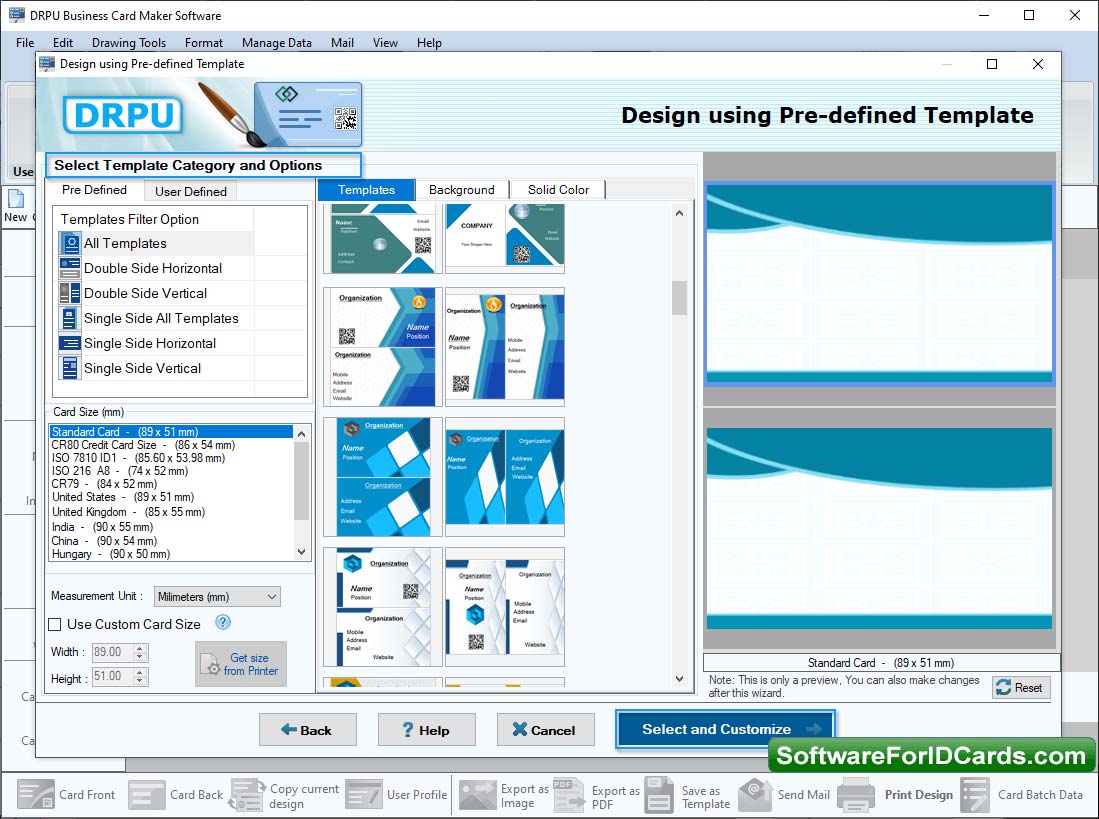
STEP 2: Choose Sample for your business card - Select Background and samples as per your need.
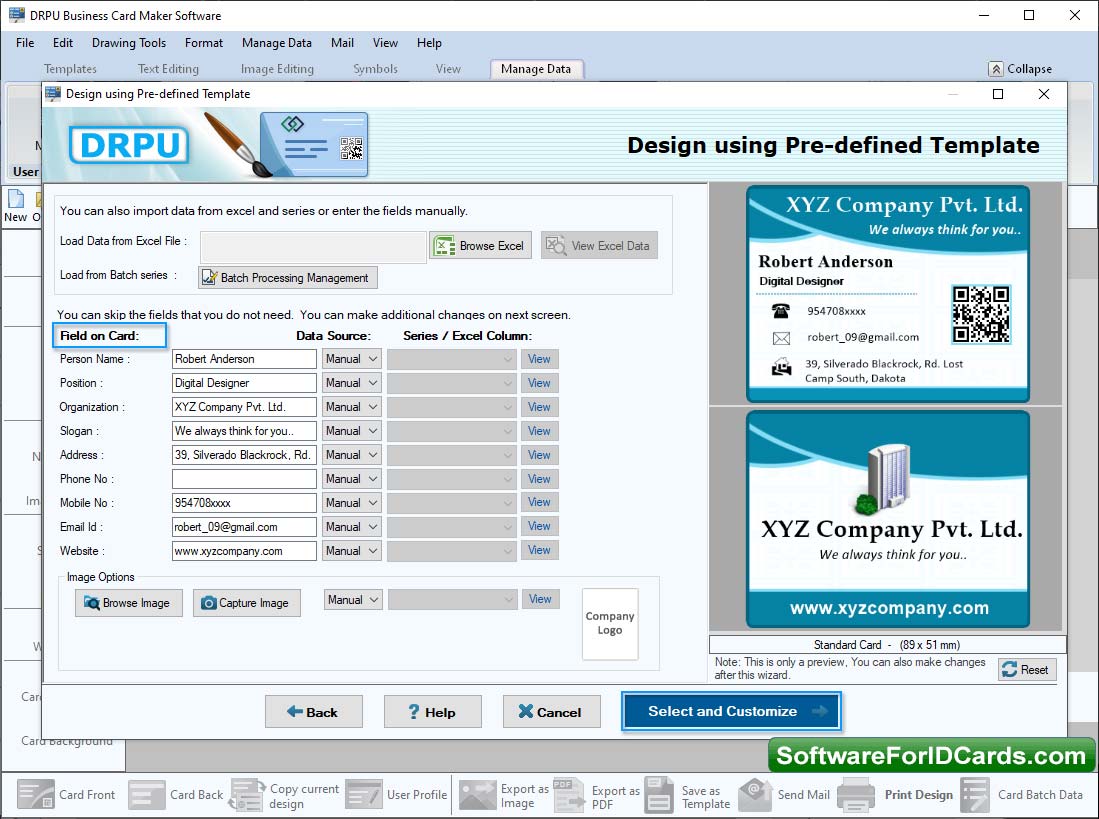
STEP 3: Fill User Details Using Custom option - Choose "Custom" option from template category to fill user details on Templates.
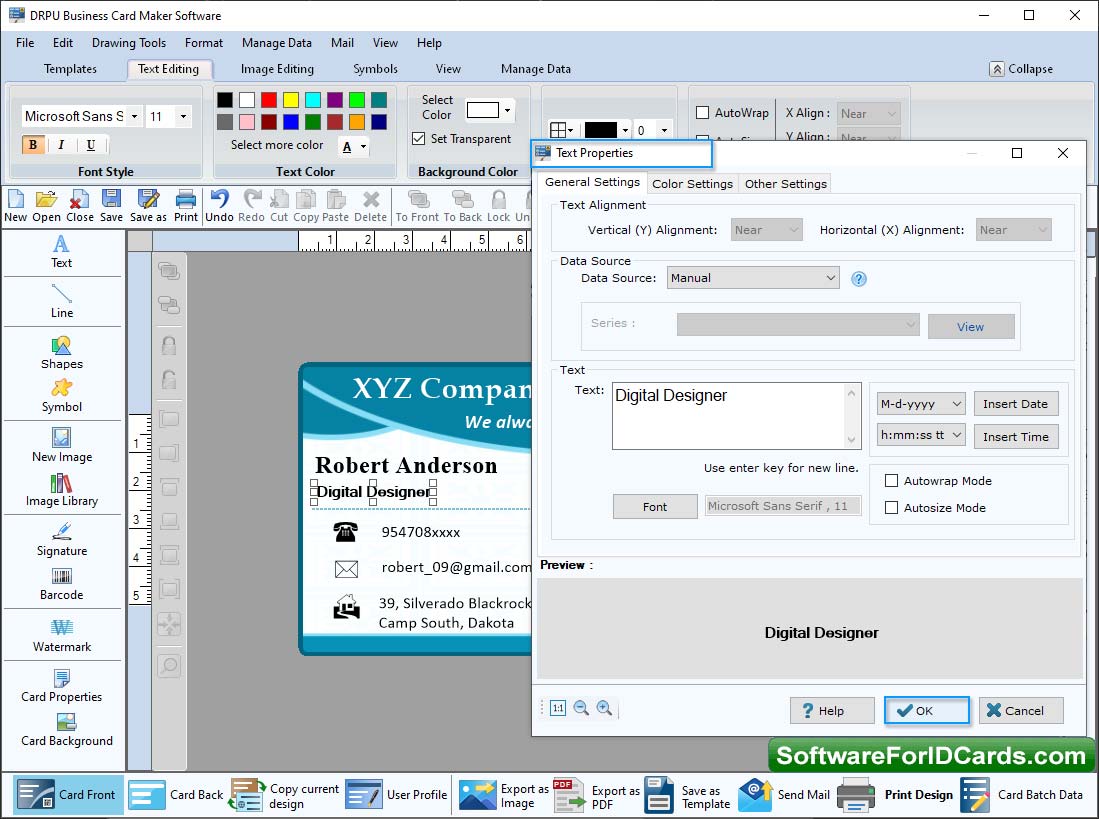
STEP 4: Set Text Properties - From left panel add text to your card and edit text properties as per need.
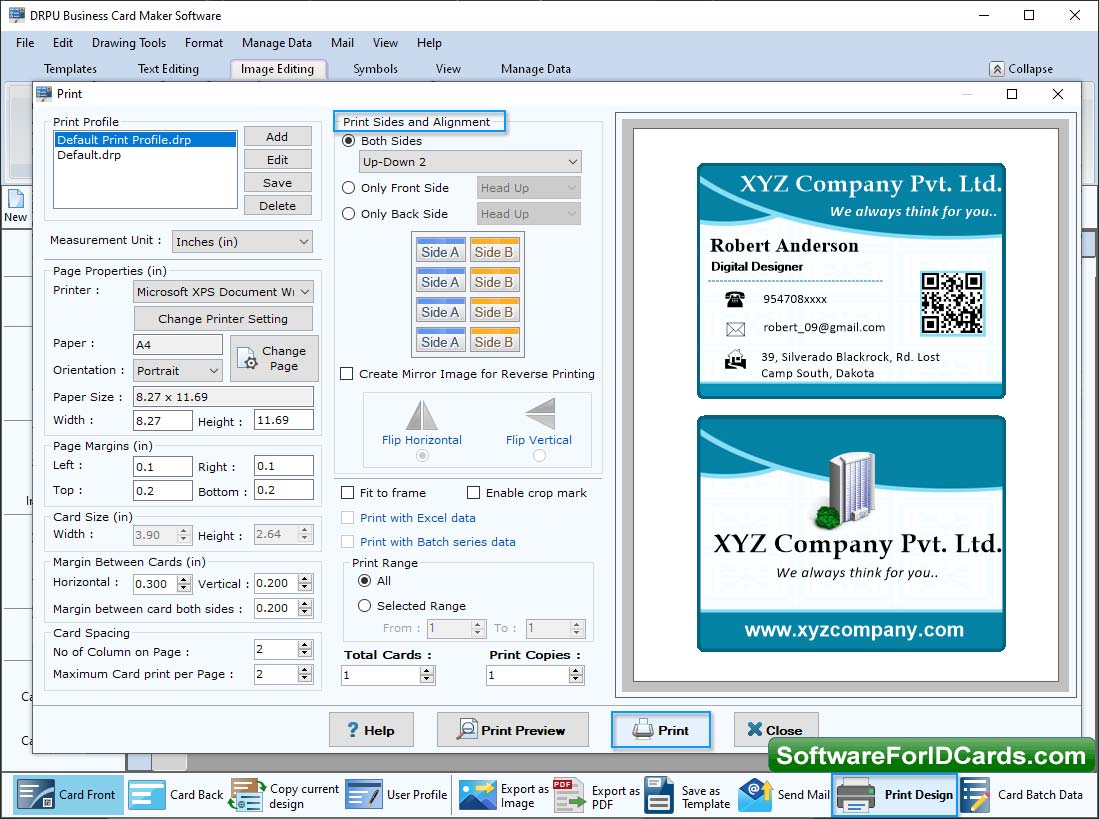
STEP 5: Set Print Format - Set the Page Properties, Margin, Print Option to print the card.
Our Products